In construction, unanswered questions can quickly become delayed activities, incorrect site decisions, rework, cost pressure, or disputes.
This is why a Request for Information, commonly known as an RFI, is more than a technical question. It is a formal clarification workflow that helps project teams resolve missing, conflicting, or unclear information before work continues on site.
This article explains what an RFI is, when it should be raised, and how digital platforms can help construction teams manage site clarifications.

What is an RFI in construction?
A Request for Information is a formal question raised during a construction project when the team needs clarification on drawings, specifications, scope, design intent, site conditions, materials, or technical requirements.
RFIs are commonly raised by contractors, subcontractors, or site teams and submitted to consultants, designers, engineers, or project owners for review and response.
An RFI may be required when a drawing detail is unclear, two documents conflict, a site condition differs from the design, or a material or installation requirement needs confirmation.
A good RFI should help the project move forward. It should not be used for questions already answered in approved drawings, specifications, contract documents, meeting minutes, or previous instructions.
Why RFIs matter to site progress
From a site-management perspective, RFIs are closely linked to programme certainty.
A delayed RFI response can hold work on site, especially when the clarification affects an activity that is about to start or already in progress. For example, if a contractor identifies a conflict between structural and MEP drawings, the team may need to pause until the correct solution is confirmed. Proceeding without clarification could lead to rework or inspection failure.
RFIs also create a formal record of technical decisions. This record can later support quality reviews, variation discussions, handover documentation, claims, or dispute resolution.
In simple terms, RFIs help project teams answer three questions:
- What information is missing or unclear?
- Who must provide the answer?
- What decision was made and when?
When should a contractor raise an RFI?
A contractor should raise an RFI when a clear decision or clarification is required before work can proceed correctly.
Before raising an RFI, the contractor should check approved drawings, specifications, method statements, material approvals, previous instructions, meeting minutes, and relevant project correspondence.
If the answer already exists, the issue should be resolved internally. If the information is missing, conflicting, or unclear, then an RFI is appropriate.
Good RFI discipline protects the project from proceeding without the right information or creating unnecessary administrative noise.
What should a complete RFI include?
A complete RFI should make it easy for the reviewer to understand the issue and respond clearly.
A strong RFI usually includes:
- RFI reference number
- Submitted by and assigned reviewer
- Related discipline or work package
- Exact location or zone
- Drawing and specification references
- Description of the issue
- Clear question requiring a response
- Supporting photos, sketches, or markups
- Required response date
- Potential impact on time, cost, quality, or sequence
The question itself is the most important part. Instead of writing, “Please clarify ceiling works,” a stronger RFI would say:
“Drawing A-210 shows a gypsum ceiling in Room 305, while the reflected ceiling plan shows an open ceiling finish. Please confirm the approved ceiling finish for Room 305 before installation proceeds.”
This gives the reviewer enough context to answer without unnecessary back-and-forth.
The RFI workflow in construction
Although each project may define its own approval process, a clear RFI workflow usually follows six main steps.
1. Identify the issue
The site team, subcontractor, engineer, or project manager identifies missing, conflicting, or unclear information during drawing review, coordination, procurement planning, inspection preparation, or site execution.
2. Review available project information
Before raising the RFI, the contractor checks whether the answer already exists in approved documents or previous instructions.
3. Prepare the RFI
The contractor prepares the request with a clear question, location, references, attachments, and required response date. If the issue may affect cost, quality, sequence, or programme, this should be highlighted.
4. Submit to the responsible reviewer
The RFI is assigned to the consultant, designer, engineer, owner representative, or other authorised reviewer. Assigning the RFI to the wrong person can delay the response.
5. Review and respond
The reviewer studies the issue, consults other technical parties if needed, and provides a clear response that the contractor can act on.
6. Distribute, implement, and close
Once answered, the response should be shared with all affected parties. The RFI is then closed and retained as part of the project record.
Common reasons RFIs get delayed
RFI delays are common, but many are avoidable.
Typical causes include unclear questions, missing attachments, wrong reviewer assignment, unclear urgency, no defined due date, or the need for input from multiple disciplines.
Another common issue is the volume of low-quality RFIs. When reviewers receive too many vague or unnecessary questions, critical clarifications can become harder to identify and prioritise.
This is why RFI quality matters as much as RFI speed.
How poor RFI management affects projects
Poor RFI management can lead to work stoppages, incorrect installation, rework, inspection rejection, procurement delays, subcontractor downtime, programme disruption, unclear responsibility, and weak project records.
For this reason, RFIs should be treated as a decision-management workflow, not simply as project correspondence.
How digital platforms improve RFI management
Traditional RFI management often relies on spreadsheets, emails, shared folders, and manual trackers. These tools may work at a basic level, but they make it harder to maintain live visibility over open questions, owners, deadlines, attachments, and responses.
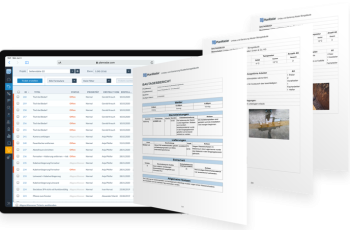
Digital platforms help by bringing the RFI process into one controlled workflow. Each RFI can include the question, location, drawings, photos, markups, comments, response, status, due date, and decision history in one place.
A digital workflow can also show clear stages, such as:
Draft → Submitted → Under Review → Answered → Action Required → Closed
This helps teams understand who needs to act next and which RFIs are overdue.
For project managers, dashboards can show open RFIs, overdue RFIs, average response time, RFIs by discipline, RFIs by project area, and repeated clarification topics.
How PlanRadar can support RFI workflows
PlanRadar helps construction teams manage site workflows, documentation, communication, and approvals in one digital platform.
For RFI management, project teams can configure forms and workflows to capture the RFI title, reference number, discipline, site location, drawing references, issue description, supporting photos, assigned reviewer, due date, response, status, and follow-up actions.
RFIs can be assigned to the responsible team member, tracked through custom workflow statuses, and linked to a specific location on a digital plan.
The value is not only creating a digital RFI form. The stronger value is creating a controlled workflow where every clarification has an owner, status, location, due date, and decision history.
Example: resolving a drawing conflict before site execution
Consider a contractor preparing to install MEP services above a corridor ceiling.
During coordination, the site team notices that the architectural ceiling drawing shows a lower ceiling level, while the MEP layout requires more space for ductwork and cable trays.
If the team proceeds without clarification, the installation may clash with the ceiling level and require rework later.
Instead, the contractor raises an RFI with the corridor location, architectural drawing reference, MEP drawing reference, a marked-up screenshot, a clear question, and the required response date.
The consultant reviews the issue, coordinates with the design team, and responds with the approved solution. The contractor then updates the site team and subcontractor before installation begins.
In this case, the RFI prevents an avoidable site error and creates a formal record of the clarification.
Best practices and RFI metrics
To manage RFIs effectively, project teams should raise RFIs only when a real clarification is needed, make every question clear and specific, attach the right supporting information, assign the correct reviewer, track due dates, and keep the full record in one place.
Management should also monitor open RFIs, overdue RFIs, average response time, RFIs by discipline, RFIs by project area, RFIs linked to time or cost impact, repeated clarification topics, and closed RFIs.
These metrics help managers understand where project information is unclear and where decision delays may affect site progress.
Treat RFIs as a decision workflow
An RFI in construction is more than a formal question. It is a key workflow for managing technical clarification, site coordination, and project decisions.
When RFIs are prepared clearly, assigned correctly, answered on time, and stored properly, they help reduce uncertainty and support smoother project delivery.
However, when they are managed through scattered emails, spreadsheets, and informal messages, teams can lose visibility over open issues, responsibilities, and decisions.
With a platform such as PlanRadar, construction teams can manage RFIs more transparently, improve response tracking, reduce manual follow-up, and maintain a complete record of every clarification from submission to closure.
Manage RFIs through one connected digital workflow
Standardise RFIs, assign responsibilities, track responses, and keep every project decision easy to find.