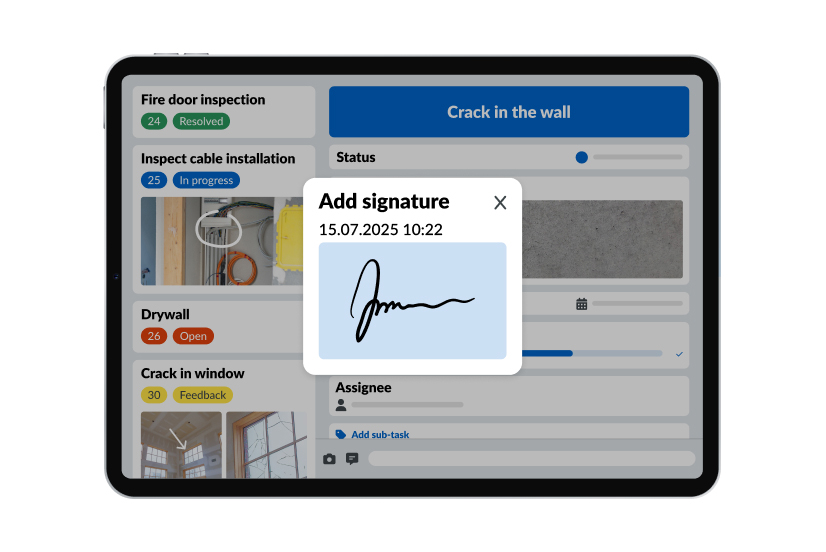
TL;DR: The best construction quality control software in 2026 at a glance
Top pick: PlanRadar, a field platform that links every inspection to the approved drawing or specification it is meant to prove. PlanRadar runs offline and gets a site team working within 20 minutes.
- PlanRadar: Best overall for quality control execution in the field
- Fieldwire: Best for field task management and punch lists
- Procore: Best for enterprise quality and safety inside one system of record
- SafetyCulture: Best template library for inspection teams across several industries
- GoAudits: Best for multi-site audits and trade partner accountability
- Autodesk Forma: Best for BIM-led quality checks
- Buildertrend: Best for residential builders with client-facing quality workflows
What is construction quality control software?
Construction quality control software plans inspections, runs them on site against a checklist and records the evidence. When a check fails, it assigns the fix to the responsible trade and tracks it to reinspection and sign-off. The result is a quality record that can be audited at any point from the first pour to handover.
That definition has a boundary worth knowing before you compare tools. Quality assurance and quality control get used interchangeably on most sites, but they are different jobs.
| Quality assurance (QA) | Quality control (QC) | |
| What it is | The system that defines how quality will be achieved | The verification that quality was actually achieved |
| Focus | Processes, standards, planning, audits | Physical execution on site |
| When | Before and throughout the project | During and after each construction activity |
| Examples | Subcontractor qualification, material submittals, ISO 9001 audits, the quality management plan | Inspections, hold-point checks, finishing inspections, nonconformance reports, the quality control plan |
QA is the system. QC is the verification. Most of the tools in this article are QC tools first: they run the inspection, capture the proof and manage what happens when a check fails. The better ones also feed that data back into QA, so the person who defined the standard can see whether it is being followed without calling every site.
One more distinction matters for buyers. A completed checklist proves that someone looked. It does not prove that the work matches what was approved. The tools worth paying for connect each inspection to the drawing, specification or material approval it is meant to verify.
Why quality control software matters: the real cost of rework in construction
Rework is one of the most expensive quality problems on a construction project, and most of it has a traceable cause.
The most cited US study on the subject remains FMI and PlanGrid’s Construction Disconnected report from 2018. It surveyed close to 600 US construction leaders and found that poor project data and miscommunication caused 48% of all rework on US jobsites, worth $31.3 billion in that year alone. Poor communication accounted for 26% of rework and poor project data for 22%. The same study put total US rework at around $65 billion. It also found that site staff spend more than 14 hours a week on non-productive activity, including 3.9 hours on mistakes and rework.
PlanRadar’s own research, based on a survey of more than 2,500 construction professionals across 17 countries, found the same pattern outside the US. Respondents ranked poor communication and collaboration as the top cause of rework, poor document control second and quality control mistakes third. Rework accounted for more than 11% of project costs for most respondents before they digitized, and 89% said the platform helped bring that number down.
Those numbers describe an industry problem. On a single site, it looks like this:
- Drywall is removed because firestopping was not inspected before the wall was closed.
- Floor finishes are lifted because services underneath were installed incorrectly.
- Waterproofing is reopened because nobody captured evidence that it was checked.
- A completed unit cannot be handed over because several quality stages are still incomplete.
Each case has the same root. Work was covered, or the project moved on, before anyone verified it against the approved standard and kept the proof somewhere findable. Without that record, checking later means opening the wall back up.
Quality control software addresses that directly. It makes the inspection happen before the work is covered, keeps the evidence in one place and stops a failed check from disappearing into an email thread.
Key features to look for in construction quality control software
Every tool in this article can run a checklist on a phone. The features below separate a checklist app from a system that controls quality on site.
- Inspections linked to approved documents. The inspector should see the approved drawing, specification or material data sheet inside the inspection, so the check is made against a defined standard rather than a generic question.
- Custom forms built from what you already have. If you have an inspection and test plan in Excel or Word, the tool should turn it into a form in minutes. Rebuilding every checklist from scratch is where rollouts stall.
- Offline mode. Basements, cores and remote sites have no signal. Capture must work offline and sync later, and you should test this on a real site.
- Mandatory photo evidence, including on a pass. Once the work is covered, the photo taken before it was closed is the only proof you have.
- A complete nonconformance loop. Flag the failed item, attach a photo, assign it to the trade with a deadline, receive the fix, reinspect, close. Every step logged with date and author.
- Hold points. Some stages must block further work until signed off. The tool should let you define which ones, who can release them and what evidence is required.
- Location on the plan. Each inspection and each defect should sit on the floor plan or a 360-degree image, so a subcontractor can walk to it.
- Role-based sign-off. The person who fixes an issue should not be the person who closes it. Look for separate finalize and close permissions and for sequential sign-off where several parties approve.
- Subcontractor access without full licenses. Trades need to see their assigned issues and respond with photos. They rarely need anything else, and paying full seats for them is a common cost trap.
- Reports in your own format. The output should match your quality standard, carry your logo and be stored in the project record rather than downloaded and emailed.
- Portfolio visibility. A quality director should be able to see which sites are blocked, which subcontractors generate repeat failures and which stage causes the most delay, without calling anyone.
- BIM and 360-degree capture. Useful for design-heavy work and remote oversight. Optional for many trades, so do not pay for it if you will not use it.
Comparison of the best construction quality control software in 2026
The table compares the seven tools reviewed below on the criteria that decide most purchases. Prices are entry-level list prices for the US market.
| Tool | Best for | Starting price | Free version or trial |
| PlanRadar | Field-first QC with everything in one place | From $32/mo/user | 30-day trial, free subcontractor access |
| Fieldwire | Field tasks and punch lists | Free plan; paid from $39/mo/user | Free plan for small teams |
| Procore | Enterprise QC in one system of record | Quote-based | Demo |
| SafetyCulture | Template library, multi-industry | From $24/mo/user | Free plan up to 10 users |
| GoAudits | Multi-site audits and trade accountability | From $10/mo/user | 14-day trial, full features |
| Autodesk Forma | BIM-led quality checks | Quote-based | 30-day trial |
| Buildertrend | Residential builders | Quote-based | Demo |
| Tool | Offline | Custom checklists | BIM support | G2 rating |
| PlanRadar | Yes | Yes | Yes | 4.5 (72) |
| Fieldwire | Yes | Yes | Yes, Business tier and up | 4.5 (585) |
| Procore | Yes | Yes | Yes | 4.6 (4,287) |
| SafetyCulture | Yes | Yes | No | 4.6 (483) |
| GoAudits | Yes | Yes | No | 4.6 (16) |
| Autodesk Forma | Yes | Yes | Yes | 4.4 (5,386) |
| Buildertrend | Partial | Yes | No | 4.3 (230) |
Please note: all information here is based on publicly available sources and was checked in September 2026. Ratings are from G2 and Capterra. Pricing and features change often, so verify current details directly with each vendor.
The 7 best construction quality control software tools in 2026, reviewed
1. PlanRadar: Best overall for quality control execution in the field
PlanRadar is a field management platform for documentation, inspections, communication and reporting across construction, facility management and real estate projects.
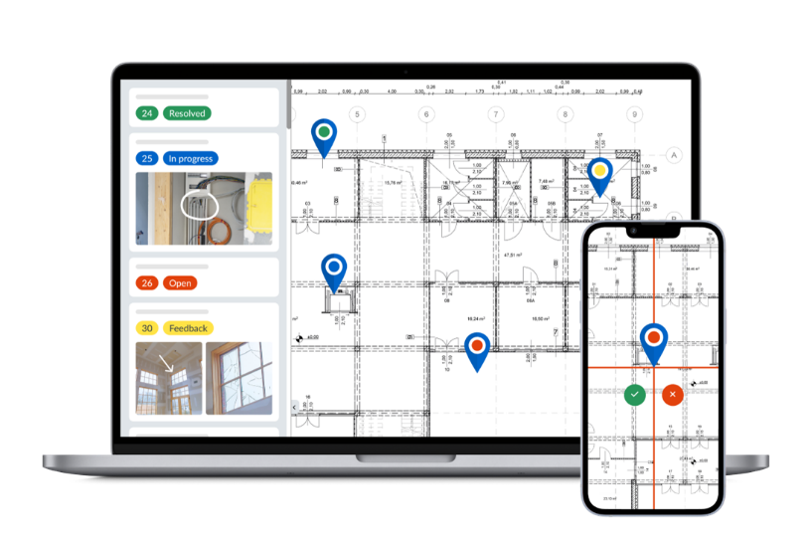
For quality control, the difference is where each check points. An inspection in PlanRadar is linked to the approved drawing, specification or material approval it is meant to verify. A sign-off therefore records that the work matched the standard, not only that a form was completed. Forms are built from the checklists a team already has, inspections sit on the floor plan, and a failed item becomes an assigned nonconformance with its own deadline and evidence trail.
Best for
General contractors, developers and specialist trades that need inspections verified against approved documents, with a full record from first inspection to handover.
Key features
- AI Form Builder: turns an existing inspection and test plan in Excel or Word into a structured form in minutes, with conditional fields that show only the checks relevant to the selected phase.
- Plan-based field inspections: planned inspections are imported in bulk and placed on the right floor plan layer, with the responsible person and form already attached.
- Nonconformance workflow: a failed check becomes a sub-ticket pinned to the plan, assigned to the trade with a deadline. The trade can finalize but not close, so accountability stays with the reviewer.
- Digital sign-off and reporting: sequential signatures with date and author, and reports in the company’s own format saved into the project’s document management.
- SiteView: 360° reality capture built into PlanRadar. One site walk, mapped to your plan, ready to revisit, compare and raise tickets from.
Pricing
30-day free trial. Basic from $32/mo/user, Starter $107/mo/user, Pro $159/mo/user, Enterprise on request, all billed annually. Subcontractors and stakeholders respond to assigned issues on free access.
Pros and cons
| Pros | Cons |
| Checks are verified against approved documents, not a generic list | No estimating, takeoff or bid management |
| Site teams are productive within about 20 minutes | No job costing, so financials need a separate system |
| Forms and workflows adapt to your existing process, not the other way around | Scheduling is lighter than dedicated planning tools |
| Free subcontractor access keeps seat costs down | Portfolio statistics need consistent form design to be useful |
Rating
4.5 / 5.0 (G2, 72 reviews)
4.3 / 5.0 (Capterra, 77 reviews)
2. Fieldwire: Best for field task management and punch lists
Fieldwire is a mobile jobsite app for plans, tasks, punch lists and forms, owned by Hilti.
Source: apps.apple.com/us/app/fieldwire-construction-app
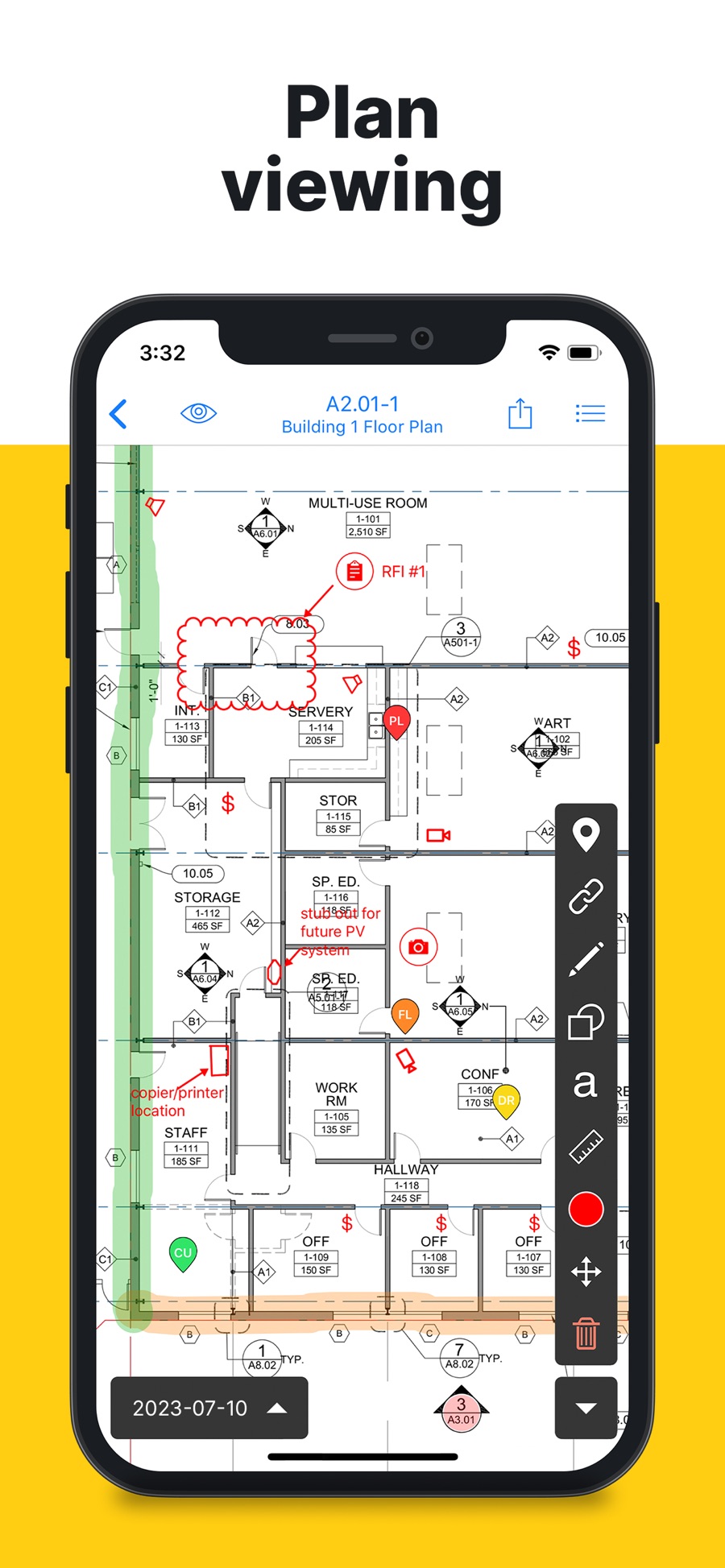
Quality work in Fieldwire runs through tasks. A punch item or inspection is a task pinned to a sheet, assigned to a person, with photos and a due date. Forms cover inspections and daily reports, and Field Intelligence adds natural-language search and voice task creation on top. The tool is strongest where crews need plans and tasks on a phone and lightest where a quality manager needs stage gates, sign-off hierarchies and portfolio reporting.
Best for
General and specialty contractors whose crews need plan viewing, task tracking and punch lists on mobile.
Key features
- Plan-based tasks: every punch item sits on the current sheet with photos, priority and assignee.
- Forms: inspection checklists, daily reports and safety forms completed on site.
- Field Intelligence: natural-language search across plans, tasks, photos and forms, plus voice task creation.
- Offline mode: full task and plan access without signal, synced on reconnect.
Pricing
Free plan for small teams. Paid from $39/mo/user (Pro, billed annually).
Pros and cons
| Pros | Cons |
| Free plan with no time limit for small teams | No formal hold points or stage-gate control |
| Plan viewer built for the field, with offline sheets | Sign-off is task closure, not a signature workflow |
| 60 integrations listed, including Primavera P6 and SharePoint | Portfolio-level quality reporting is limited |
| Above 4.5 on both G2 and Capterra | Forms are less configurable than dedicated QC tools |
Rating
4.5 / 5.0 (G2, 585 reviews)
4.6 / 5.0 (Capterra, 99 reviews)
3. Procore: Best for enterprise quality inside one system of record
Procore is an all-in-one construction management platform covering preconstruction, field operations, documents and financials.
Source: apps.apple.com/us/app/procore
Quality control lives in the Quality and Safety tools: inspections, observations, punch list and incidents, all tied to the same project record as RFIs, submittals and cost. The benefit is that a failed inspection can be connected to the drawing revision, the submittal and the change order in one place. The cost is scale. Procore is a company-wide system, and the quality module works best when the rest of the platform is already in use.
Best for
Mid-to-large general contractors and owners who want quality control inside the same system that runs the rest of the project.
Key features
- Inspections and observations: templated inspections with pass/fail items, photos and assigned corrective actions.
- Punch list: items located on drawings, assigned to trades, with due dates and ball-in-court tracking.
- Connected records: inspections link to submittals, RFIs and drawings in the same project.
- Procore Copilot: summarizes project documents and answers questions from project data.
Pricing
Quote-based, no public pricing. Demo available.
Pros and cons
| Pros | Cons |
| Quality data sits with drawings, submittals and cost | No public pricing, so budgeting needs a sales conversation |
| Templated inspections with corrective actions | Heavier to roll out than field-first tools |
| Large user base and partner ecosystem | Overkill for a team that only needs inspections and punch lists |
| Strong reporting across projects | Subcontractor collaboration seats add cost at scale |
Rating
4.6 / 5.0 (G2, 4,287 reviews)
4.1 / 5.0 (Capterra, 1,636 reviews)
4. SafetyCulture: Best template library for inspection teams
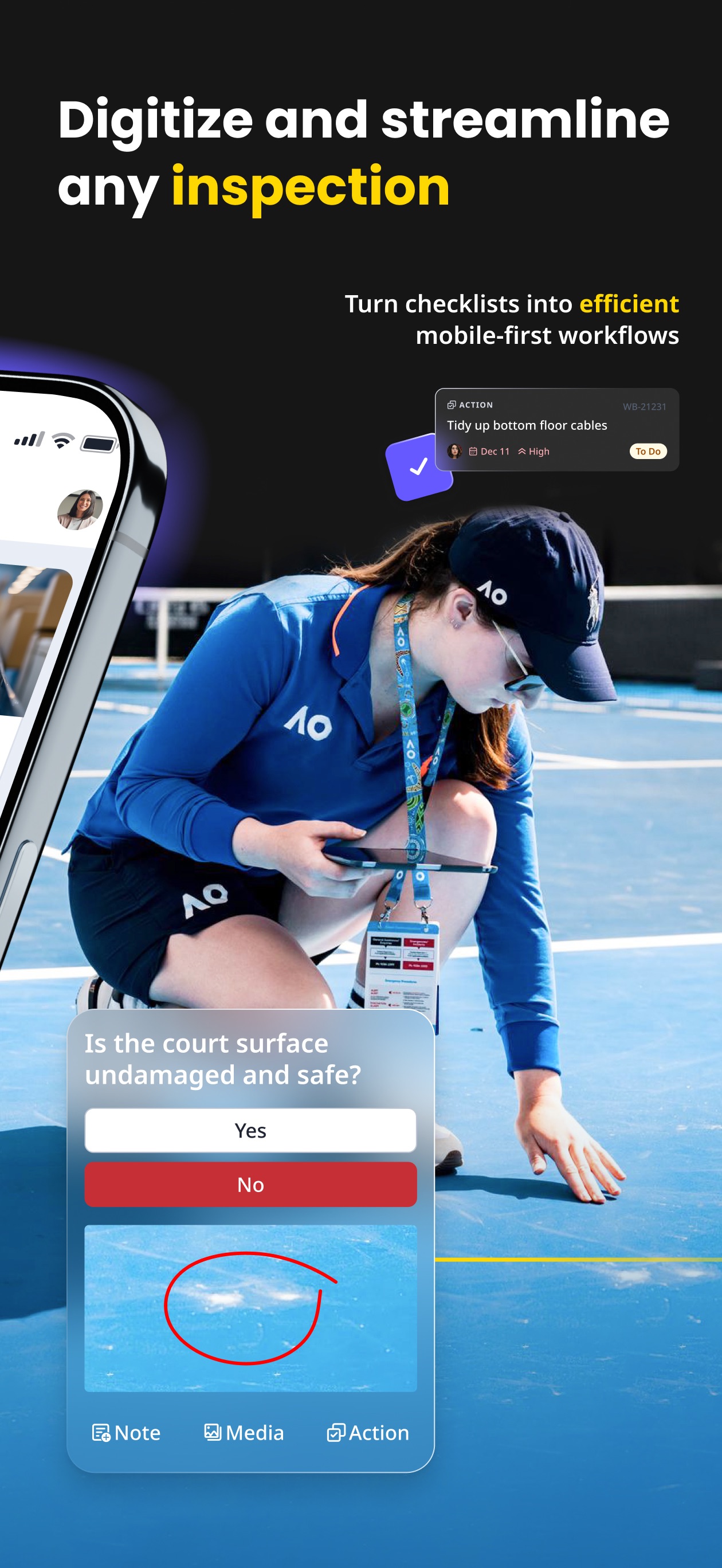
SafetyCulture, formerly iAuditor, is an inspection and checklist platform used across construction, manufacturing, hospitality and retail.
Source: apps.apple.com/us/app/mitti-by-safetyculture
Its strength is the template library and the speed of building a checklist from it. Inspections run on mobile, failed items raise actions, and reports export as PDF. Because the platform serves many industries, construction-specific structure such as plan-based location, hold points and drawing references is thinner than in tools built for site quality. Mitti, SafetyCulture’s construction product, narrows some of that gap.
Best for
Teams that run many standardized inspections across sites and want a large template library to start from.
Key features
- Template library: thousands of public checklists that can be adapted in minutes.
- Actions: failed items become assigned actions with due dates and photos.
- Reports: inspection reports exported as PDF or shared by link.
- Offline inspections: completed without signal and synced later.
Pricing
Free plan for up to 10 users. Premium from $24/mo/user.
Pros and cons
| Pros | Cons |
| Fastest way to start from an existing template | No floor-plan location for inspections or defects |
| Free plan for small teams | No drawing or specification references inside the check |
| Simple mobile experience for crews | Multi-industry design, so construction terminology needs setup |
| Strong reporting and analytics | Hold points and sign-off hierarchies are not native |
Rating
4.6 / 5.0 (G2, 483 reviews)
4.6 / 5.0 (Capterra, 355 reviews)
5. GoAudits: Best for multi-site audits and trade partner accountability
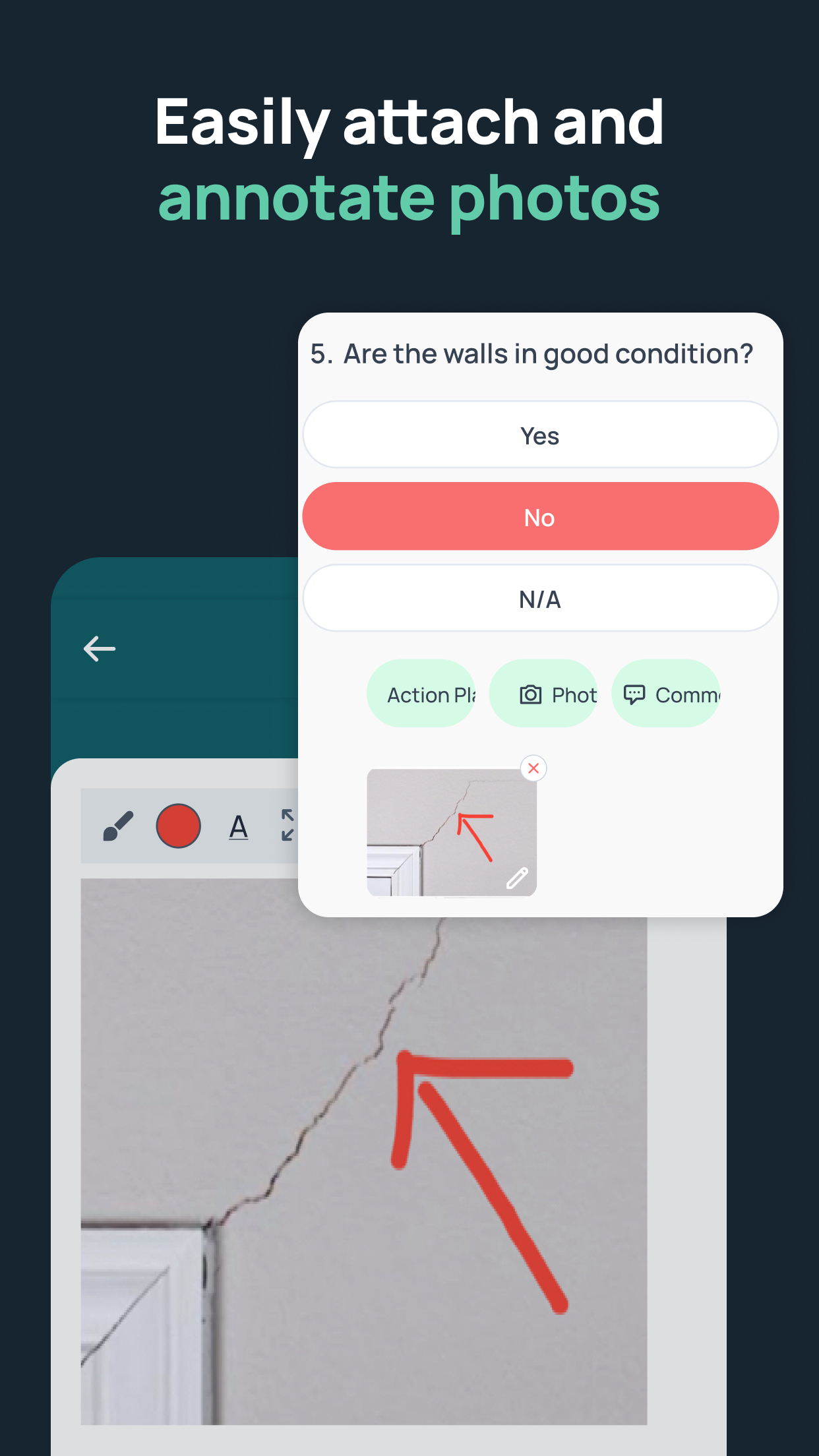
GoAudits is an inspection and audit platform with a construction quality control focus.
Source: apps.apple.com/us/app/goaudits-inspections-audits
The tool is built around scheduled audits across many sites, scored checklists and corrective actions assigned to trade partners. Reports generate automatically after each audit, and dashboards compare sites and contractors over time. It suits companies that run the same audit repeatedly across a portfolio more than teams that need inspections tied to project drawings.
Best for
Contractors and developers auditing quality across many sites and holding trade partners to a scored standard.
Key features
- Scored checklists: audits produce a score per site and per contractor for comparison.
- Corrective actions: failed items assigned to a trade partner with a deadline and follow-up.
- Automated reports: branded PDF reports sent as soon as the audit is submitted.
- Site and contractor dashboards: trends across the portfolio.
Pricing
From $10/mo/user (Starter, billed annually). Enterprise $30/mo/user. 14-day free trial with all features.
Pros and cons
| Pros | Cons |
| Scoring makes site and contractor comparison easy | No floor-plan or BIM location for findings |
| Audit reports need no manual assembly | Built for audits more than for stage-by-stage QC execution |
| Trade partner accountability through assigned actions | Fewer construction integrations than platform tools |
| Runs offline | Roles, permissions and scheduling only in the Enterprise tier |
Rating
4.6 / 5.0 (G2, 16 reviews)
4.8 / 5.0 (Capterra, 145 reviews)
6. Autodesk Forma: Best for BIM-led quality checks
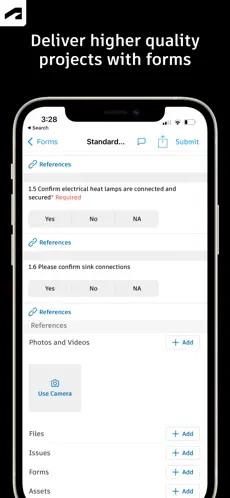
Autodesk Forma, formerly Autodesk Construction Cloud, is a design-to-build platform built on Autodesk’s BIM tools. Quality control sits in Forma Build.
Source: apps.apple.com/us/app/autodesk-forma
Issues, checklists and RFIs run against the same model and sheets the design team produced. A checklist item can therefore reference the model element it concerns. Construction IQ applies machine learning to issues, checklists and observations to flag high-risk quality and safety items early. The value depends on already running Autodesk for design. Autodesk retired the Construction Cloud name in March 2026, so older documentation still uses the old product names.
Best for
Design-led firms and general contractors already on Revit and Autodesk BIM who want quality checks tied to the model.
Key features
- Issues: located on sheets and model elements, assigned with due dates.
- Checklists: templated inspections with conditional items and signatures.
- Construction IQ: machine-learning risk flags across issues, checklists and observations.
- Model-linked review: checks reference the design model directly.
Pricing
Quote-based, no public pricing. 30-day free trial.
Pros and cons
| Pros | Cons |
| Deepest BIM integration in this group | Most of the value depends on already running Autodesk |
| Construction IQ flags risks before they escalate | No public pricing |
| Checks reference model elements, not just sheets | Modular licensing across Build, Takeoff and Docs adds up |
| Large partner ecosystem | The March 2026 rename means older guides still say Construction Cloud |
Rating
4.4 / 5.0 (G2, 5,386 reviews)
4.3 / 5.0 (Capterra, 2,210 reviews)
7. Buildertrend: Best for residential builders
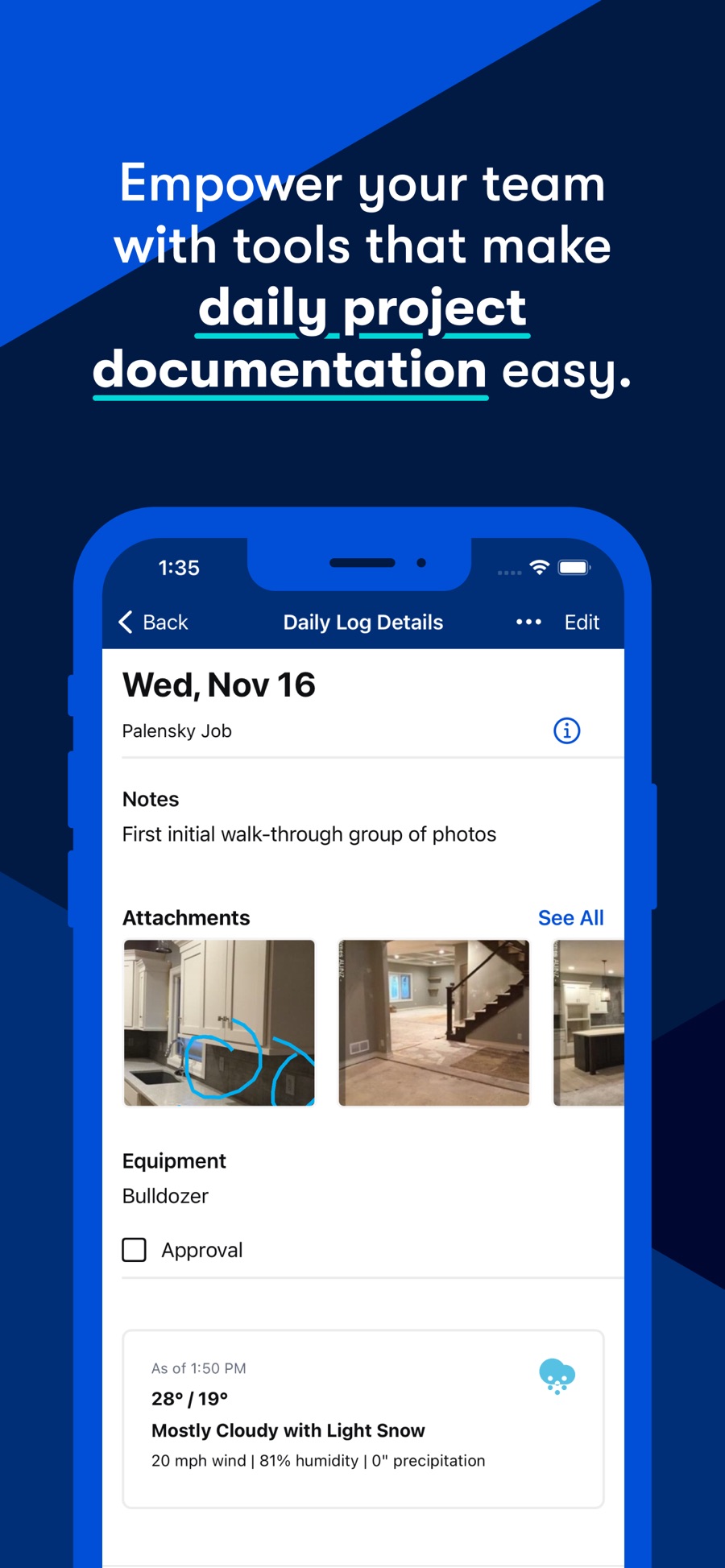
Buildertrend is a residential construction management platform with scheduling, financials, selections and a client portal.
Source: apps.apple.com/us/app/buildertrend
Quality control here means daily logs, checklists and punch lists that feed the client-facing side of the platform. Homeowners see progress and sign off on selections in the same portal, which suits builders whose quality process ends in a client walkthrough. Stage gates, drawing references and portfolio audit views are not the focus. Offline use covers time clock and daily logs. Schedules, photos and change orders need a connection.
Best for
Residential home builders and remodelers who want punch lists and inspections inside the platform that runs their client communication.
Key features
- Daily logs and checklists: site progress and inspection items with photos.
- Punch list: items assigned to trades with status tracking.
- Client portal: homeowners view progress, selections and sign-offs.
- AI Client Updates: weekly summaries generated from logs, schedules and change orders.
Pricing
Quote-based, no public pricing. Demo available.
Pros and cons
| Pros | Cons |
| Quality workflow ends in the client portal | Residential only, with no commercial features |
| Scheduling, financials and selections in one platform | No drawing or specification references inside checks |
| Homeowner sign-offs recorded in the same portal | No hold points or stage-gate control |
| 2,716 reviews across G2 and Capterra | No public pricing |
Rating
4.3 / 5.0 (G2, 230 reviews)
4.5 / 5.0 (Capterra, 2,486 reviews)
Best free construction quality control software and checklist templates
Free options exist, and they are useful for a single crew or a pilot. They stop being useful at the point where sign-off, audit trail and subcontractor accountability matter.
Free plans and trials worth knowing
- Fieldwire has a free plan with no time limit for small teams. Plans, tasks and photos are included. Forms and reporting sit in the paid tiers.
- SafetyCulture is free for up to 10 users, with access to the template library.
- PlanRadar offers a 30-day free trial on paid plans, and subcontractors and stakeholders respond to assigned issues without a license at any time.
- Procore and Buildertrend offer demos rather than free tiers.
- Autodesk Forma has a 30-day trial and GoAudits a 14-day trial.
What free tiers typically leave out: digital signatures, sequential sign-off, hold points, custom report formats, document management and the portfolio dashboards that let a quality manager see across sites. If your process depends on any of those, price the paid tier at full crew size before you commit to a free tool.
Checklist templates. The fastest starting point is your own inspection and test plan. If you do not have one, PlanRadar provides inspection form templates by trade and stage, and the AI Form Builder can generate a form from a plain-language description.
How to choose the right construction quality control software: a step-by-step guide
Feature comparisons tend to end in a tie. The steps below put your own process first.
1. Decide whether you need a punch list app or a quality control system
A punch list app records defects. A quality control system plans inspections, links them to approved documents, blocks work at hold points and proves each stage was signed off. Both are legitimate. Buying one when you need the other is a common mistake.
2. Write down your stages and hold points before the first demo
List the inspection stages for one typical project, which ones stop work until released, who releases them and what evidence is required. Every demo should run against that list, not the vendor’s sample project.
3. Test the full closure loop on your own checklist
Upload your inspection form. Run an inspection with one failed item. Assign the failure to a subcontractor account, upload a fix, reinspect and close. If any step needs a workaround, you have found the gap.
4. Check offline on a real site
Take the app into a basement or a mechanical room. Complete a checklist with photos, come back to signal and confirm that everything synced with the right time and author.
5. Review the report output
Generate the inspection report and compare it with what your client, auditor or warranty provider expects. If the format cannot match your standard, the report becomes a manual task again.
6. Check subcontractor access and cost
Confirm what a trade can see and do without a paid seat. Then price the paid seats at full crew size across all live projects, not the pilot team.
7. Check what you can extract
Ask how to export the full quality record, including photos and signatures, if you leave. Ask whether the statistics module can answer which subcontractor generates repeat failures and which stage causes the most delay.
Demo questions to ask any QC vendor
- Can an inspection show the approved drawing or spec inside the check?
- Can I define hold points, and who can release them?
- Does capture work offline, and what happens to timestamps on sync?
- Can a subcontractor respond without a paid license?
- Can the person who fixes an issue be prevented from closing it?
- Is every action logged with date and author?
- Can reports match my own format and logo?
- Where are reports stored, and who can access them later?
- What does per-user pricing look like at full crew size?
- How do I export everything if I leave?
Snag vs defect vs punch list vs nonconformance: key terms explained
The same problem gets four names depending on the country, the contract and the person raising it. Precise use matters because the terms carry different obligations.
| Term | What it means | Typical use |
| Snag | A minor defect found near completion | UK and Australian usage, mostly in finishing stages |
| Punch list item | The US equivalent of a snag, listed for correction before handover | US usage, contractually tied to substantial completion |
| Defect | Any work that does not conform to the contract, drawings or specification, at any stage | General term, used in warranty and dispute contexts |
| Nonconformance (NCR) | A formal record that work or material failed a defined requirement, with root cause, corrective action and close-out | Quality management systems, ISO 9001, regulated work |
A snag or punch item is the simplest case: something visible, usually cosmetic, fixed before handover. A nonconformance is a formal quality record. It states which requirement was failed, what caused it, what was done and who verified the correction. On regulated or audited work, a punch list cannot replace an NCR process.
Four more terms get mixed up in quality conversations:
- Audit: a QA activity that checks whether the process was followed.
- Compliance check: either QA or QC, depending on whether it checks the process or the physical work.
- Checklist: the structured tool used to run a check.
- Inspection: the physical verification of work on site.
How construction quality control software reduces rework and delivers ROI
The mechanism is timing. Most rework becomes expensive at the moment work gets covered without proof that it was checked.
A concrete pour shows how software changes that. Before the pour, a pre-pour checklist covers formwork, reinforcement, cover and cleaning. This is a hold point: the pour cannot start until the checklist is signed. During the pour, the inspection covers delivery tickets, slump tests, vibration and cylinder samples. After the pour, the finished surface, curing and test results are checked, some of them days later. That is three checks and three sets of evidence in one record. If the reinforcement check is skipped, the cost of finding out later is a core drilled through cured concrete.
Software makes each of those checks harder to skip and easier to prove. The hold point blocks the pour in the system. The photo is mandatory. The test result attaches to the same record weeks later. Nobody has to reconstruct what happened from three people’s phones.
Building the business case
Vendors publish generic ROI figures. A better calculation uses your own numbers:
- Units built per year × avoidable defects per unit × average cost to correct one
- Plus hours spent preparing, scanning and consolidating inspection records × labor cost
- Plus the average delay caused by failed quality stages, in days, × daily cost of the delay
The objective is not to eliminate every defect. It is to catch avoidable ones before cover-up, shorten the time from completion to handover and stop paying people to rebuild paper records.
Reported results
Clásica Urbana, a Spanish general contractor working in Valencia, Barcelona and Madrid, reduced defects found at handover by 57% after adopting PlanRadar for quality control and site monitoring. The change was that issues were recorded throughout construction rather than only at the final walkthrough, which cut the volume of corrections still open before handover.
Scale changes the problem but not the method. At Shapoorji Pallonji in Saudi Arabia, Head of QA/QC Stefan Dobrzak puts it this way:
PlanRadar was a game changer for my quality control. I can bring 99 people onto one dashboard and stay updated on everything happening on site, with visuals, documentation, and even Excel summaries.
The best QC software by role: developers, general contractors, consultants and subcontractors
The right tool depends on which part of the quality process you own.
Developers and owners
Developers and owners mostly operate in QA. They define the standard, receive inspection reports and audit whether the agreed process was followed. They need a portfolio view across projects, reports in their own format and a record they can open when a warranty claim arrives. Look at PlanRadar or Procore for the audit layer, and require that whichever tool the contractor uses can export a complete record.
General contractors
General contractors run QC. They need the full loop: planned inspections by stage, hold points, nonconformances assigned to trades, reinspection and sign-off. Subcontractor access without paid seats matters at this level because trade counts are high. PlanRadar and Fieldwire cover this for most commercial work. Procore fits where the rest of the business already runs on it.
Home builders and repeatable-construction contractors
Home builders and repeatable-construction contractors define the standard once and need it applied across hundreds of lots or units. The priority is replication: the same inspection stages, forms and sign-off rules following each house type across every site. PlanRadar’s template and bulk import approach is built for this. GoAudits suits companies that audit finished units to a score.
Consultants, inspectors and quality departments
Consultants, inspectors and quality departments work across several clients or projects at once and report in each client’s format. They need multi-project visibility, configurable reports and signatures that carry weight. PlanRadar and SafetyCulture fit, with the choice depending on whether inspections need plan-based location.
Subcontractors
Subcontractors need the simplest tool that satisfies the general contractor. In practice that means seeing assigned issues, responding with a photo and a comment, and nothing else. Free respondent access, offered by PlanRadar and Fieldwire, is usually enough. A trade that also runs its own inspections needs a paid seat on whichever platform the project uses.
How construction teams use PlanRadar for quality control
PlanRadar treats quality as an execution-control problem rather than a checklist problem. The workflow below is how a general contractor typically sets it up.
- Define the standard once. The quality manager uploads the existing inspection and test plan, in Excel, Word or PDF, into the AI Form Builder. The result is a structured inspection form with the stage, acceptance criteria, pass/fail fields, mandatory photo evidence, document reference and sign-off already in place. One form adapts by phase, showing only the checks relevant to the stage the inspector selects. What used to take days of configuration takes minutes, and the form stays editable.
- Connect each check to the approved document. The form references the approved drawing, detail, specification or material data sheet for that stage. The inspector on site checks the firestopping against the approved detail and the manufacturer’s specification, not against a generic line that says “firestopping complete”.
- Plan the inspections. Planned inspections are imported in bulk from the quality plan and placed on the right floor plan layer, each with its responsible person and form attached. Where the project runs a schedule in MS Project or Primavera P6, it is imported by XML and inspections are linked to schedule phases. If a phase shows complete while inspections remain open, the platform flags it.
- Set hold points. The customer defines which stages block further work, who can release them and what evidence is required. Concrete cannot be poured before reinforcement is signed off. Walls cannot be closed before services and firestopping are verified. Not every activity needs to stop the project, and PlanRadar follows the customer’s rules rather than a generic workflow.
- Inspect on site. The site manager opens the inspection for the lot and stage, sees the approved reference and the required evidence, and checks the work. Capture works offline. AI Voice fills the compliant items from a spoken summary, and the inspector remains responsible for the physical check and the final confirmation. A failed item gets a photo, a reason and a nonconformance pinned to the exact location on the plan, assigned to the subcontractor with a deadline.
- Resolve and reinspect. The subcontractor receives a notification, sees only their own tickets, uploads the fix and marks it as finalized. They cannot close it. The site manager reinspects, closes the nonconformance and signs off the item. The full history stays on the record: original inspection, failed requirement, responsible trade, both sets of evidence, reinspection, final approval, date and author.
- Report and audit. Signed inspections generate reports in the company’s own format, saved directly into the project’s document management rather than emailed. The statistics module shows which subcontractors generate repeat failures, which stage has the highest rejection rate and which lots are ready for handover. SiteView adds a 360-degree visual record tied to the plan, with two dates compared side by side, so a quality director can review a site without visiting it.
Whether a company already has a working standard to scale, or starts every project from a new design, the result is the same. Every project, site and subcontractor works to the same forms and stages, and the quality record is ready to be audited the moment anyone asks.
See PlanRadar quality control in action
Every inspection checked against the approved drawing, every failure assigned and reinspected, and the full quality record in one place. PlanRadar runs it on the platform your site team already uses, and a site manager can be working in it within 20 minutes.
Conclusion: choosing the best construction quality control software for your projects
The tools in this article split into two groups. Fieldwire, SafetyCulture and Buildertrend record defects and run checklists well, and they suit teams whose quality process ends at a punch list. PlanRadar, Procore and Autodesk Forma control execution: they plan inspections by stage, link checks to approved documents, block work at hold points and produce an auditable record. GoAudits sits between them, built for scored audits across a portfolio.
For most general contractors, developers and specialist trades that need proof of execution rather than a list of defects, PlanRadar is our top recommendation. It runs the full loop from planned inspection to signed-off record, works offline, keeps subcontractor costs down and gets a site team productive within 20 minutes.
Frequently asked questions about construction quality control software
What is construction quality control software?
Software that plans inspections, runs them on mobile against a checklist, records evidence, manages nonconformances and produces an auditable quality record. The best tools link each check to the approved drawing or specification it verifies.
What is the best QC software for small to mid-sized contractors?
PlanRadar for teams that need inspections verified against documents with free subcontractor access. Fieldwire for crews that mainly need plans, tasks and punch lists, with a free plan to start.
What are the best QC solutions for commercial or large projects?
PlanRadar for execution control across many sites and trades. Procore where the rest of the project already runs on it. Autodesk Forma where quality checks need to reference the BIM model.
How much does construction quality control software cost?
Entry prices in this list start at $10 to $39 per user per month for GoAudits, SafetyCulture, PlanRadar and Fieldwire. Procore, Autodesk Forma and Buildertrend quote on request. Check whether subcontractors need paid seats, since that decides the total more than the list price.
Is there free construction quality control software?
Yes. Fieldwire has a free plan for small teams and SafetyCulture is free for up to 10 users. Free tiers usually leave out signatures, hold points, custom reports and portfolio dashboards.
Can QC software work offline on site?
Most field-first tools capture inspections and photos offline and sync when signal returns. Test it in a basement before you buy, and check that timestamps and authors survive the sync
Do I need a QA/QC app with an audit trail?
If anyone will ever ask you to prove that work was inspected before it was covered, yes. An audit trail records every action with date and author, which is what separates evidence from a completed form.
How do you monitor construction site quality?
Plan inspections by stage, run them against approved documents, capture photo evidence, assign failures to trades with deadlines, reinspect and sign off. A portfolio dashboard then shows where quality is falling behind without calling every site.
How can software streamline QA/QC processes?
By turning existing checklists into structured forms, placing inspections on the plan, making evidence mandatory, routing failures to the responsible trade and storing the record where an auditor can find it.
What is the difference between a snag list and a punch list?
None in substance. Snag is the UK and Australian term, punch list is the US term. Both describe minor defects listed for correction before handover.
What is the difference between a snag, a defect and a nonconformance?
A snag is a minor, usually cosmetic, defect. A defect is any work that does not conform to the contract or specification. A nonconformance is a formal record of a failed requirement with root cause, corrective action and verified close-out.
Can a snagging app replace an NCR system?
Not on regulated or audited work. A snagging app records what is wrong. An NCR system records which requirement was failed, why, what was done and who verified it. Tools like PlanRadar and Procore support both in one platform.
What information should a digital snag or defect contain?
Location on the plan, a photo, the failed requirement with reference to the approved document, the responsible trade, a deadline, the status, and a log of every action with date and author.