TL;DR: PlanRadar Reviews 2026
PlanRadar holds an overall rating of ~4.84/5 across independent review sites (G2, Capterra, GetApp, Google Play, Apple App Store). Reviewers consistently praise fast onboarding, client-ready reporting, and reliable mobile/offline use in the field; the most common critiques are mobile sync speed and filtering on very large projects. It’s trusted by 200,000+ users in 75+ countries and works best for contractors, developers, and facility managers who need clear documentation and quick setup.
When people search for PlanRadar reviews, they don’t want polished claims; they want to know how it performs in real-world projects. We’ve summarized what users and independent reviewers consistently highlight, the good and the areas for improvement, so you can decide if it’s the right fit for your team.
What is PlanRadar?
📱 PlanRadar is a leading field management platform for documentation, communication, and reporting across construction, facility management, and real estate projects. It helps teams work more efficiently, improve quality, and achieve full project transparency, with users saving 7+ hours per week by keeping field documentation, tasks, and reporting in one place.
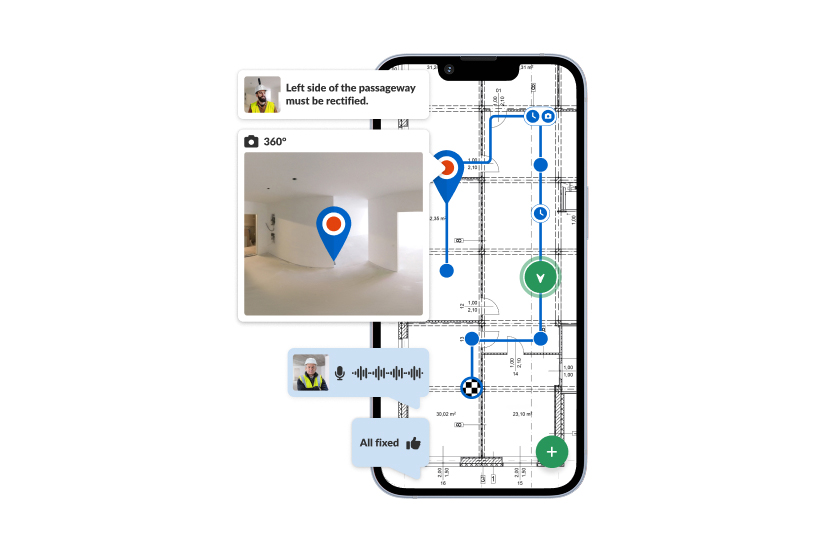
The platform adapts to the way you work rather than forcing you into rigid templates: create tickets directly on digital plans, add photos, videos, and notes, and generate client-ready reports in a few clicks. It works online and offline across iOS, Android, and Windows, and connects to your existing tools via PlanRadar Connect and Open API.
Important Facts and Stats About PlanRadar
🌍 Trusted by 200,000+ users in 75+ countries, PlanRadar is a leading platform in its field worldwide.
🗣️ Available in 25+ languages, supporting international teams across the building lifecycle.
⭐ 96% of customers report a positive experience with PlanRadar, and 95% say they’re likely to use it on new projects.
PlanRadar Ratings at a Glance
Ratings shown below are from independent review platforms. Scores may change as more reviews are added.
| Source | Rating (out of 5) | # of Reviews |
| G2 | 4.5 | 71 |
| Capterra | 4.4 | 75 |
| GetApp | 4.4 | 75 |
| Google Play Store | 4.93 | 3,190 |
| Apple App Store | 4.6 | 864 |
Overall rating: ~4.84 – weighted by number of reviews across G2, Capterra, GetApp, Google Play Store, and Apple App Store.
What Users Like and Don’t Like About PlanRadar
| 👍 What users like | 👎 Areas with optimization potential |
| Easy to use. Reviewers consistently find PlanRadar intuitive, with projects and tasks organized in a way teams pick up quickly. | Sync speed on large projects. Some users experience slower performance when syncing or managing very large projects on mobile. |
| Everything centralized on the plan. Tasks, photos, comments, and issue tracking sit in one place, pinned directly to drawings, cutting office-to-site back-and-forth. | On plans carrying a very large number of pins, the view can get busy, and finding one specific ticket through search or filters takes more effort. |
| Professional, client-ready reports. Well-structured PDF reports generated straight from ticket data in a few clicks. | Report customization has limits. Some users want finer control over report layout and styling than the templates currently allow. |
| Real-time visibility and accountability. Live status updates and dashboards show who owns what and what’s slipping. | Advanced features like detailed document management sit on upper plans, so it’s worth matching the tier to the features your team actually needs. |
| Saves documentation time. Reviewers repeatedly cite hours saved each week versus spreadsheets and paperwork. | Mobile screen real estate. On smaller phone screens, some fields and controls can feel cramped. |
| Flexible to existing workflows. Custom ticket layouts, forms, and lists let teams mirror current processes rather than change them. | Captured media isn’t editable. Photos and annotations generally can’t be edited after upload, so corrections mean re-uploading. |
| Free external collaborators. Subcontractors and watchers are free, lowering the barrier to getting the whole supply chain on board. | Onboarding external partners. Some contractors new to this kind of platform need a little encouragement to adopt it consistently. |
Why professionals buy PlanRadar
Flexible: it adapts to the way you work
PlanRadar is fully customizable construction management software, so teams build forms, workflows, and reports around their existing processes instead of changing how they operate. One platform covers the whole building lifecycle, from planning and construction through handover and operation, and adapts as requirements and regulations change.
Simple: powerful, yet easy to use
There’s enough complexity in construction, so the platform is built for anyone to pick up, and field teams who aren’t digital natives get going fast, reviewers regularly rank it among the easiest construction apps to adopt. Whole teams onboard in as little as one week and individuals in around 20 minutes. Pricing is transparent and published on the website, and a 30-day free trial makes it easy to test. 75% of customers chose PlanRadar for ease of use (PlanRadar customer survey).
Connected: link the site to every process
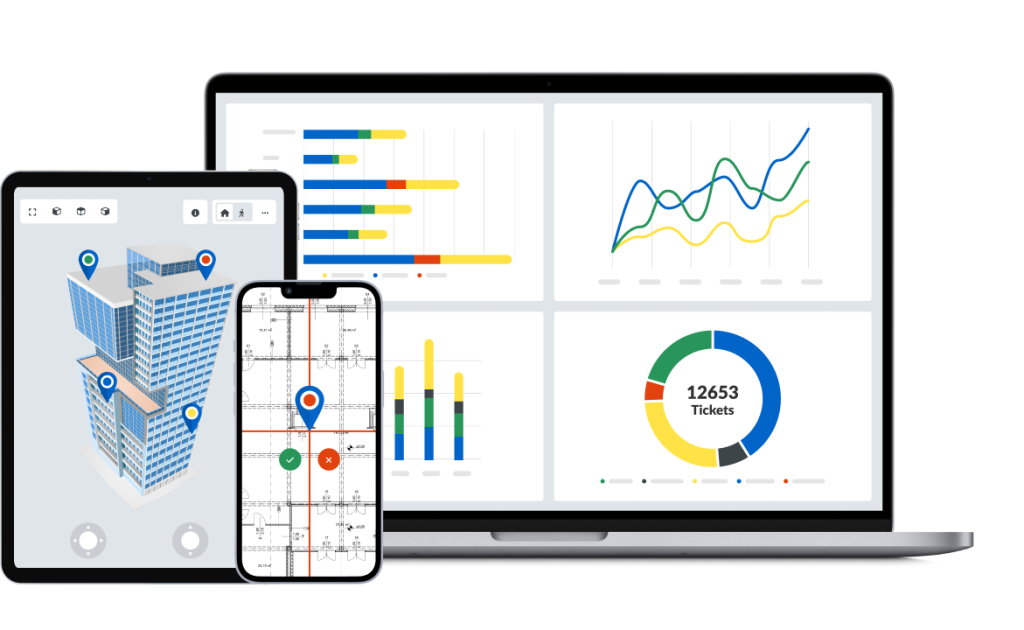
Document management, scheduling, plans and BIM, reporting and insights, and 200+ no-code integrations connect what happens in the field to the rest of the business, on a secure, ISO-certified platform. And with AI built directly into the platform, that captured data turns into instant clarity, part of a wider shift PlanRadar’s analysis calls the era of digital discipline. Track, Connect, Solve: document everything in one place, collaborate from office to field, and turn live data into real-time insight.
The combination is what stands out: the ease of use of a straightforward app, with the flexibility to adapt to any process or workflow. Powerful, yet simple.
| Company | Industry & how they use PlanRadar | Result |
| GSH Projects (UK) | Fit-out and refurbishment; automates fire-safety compliance and project setup across student and social housing. | “I would estimate we probably saved about 80% in actually setting up a project from the get-go compared to the last platform that we used.” Darryl Wandless Compliance Coordinator |
| PlanArt | Project management office; defect management, task management, and site diaries on live projects. | “It used to take us up to 2 hours to report a defect in the office, but now we can do it within 10 minutes from the construction site.” Leon Merten, Prospective Construction and Project Manager |
| Handler Gruppe | Consistent documentation of daily construction progress, defect and photo documentation, plan versioning and task assignment across many trades on complex projects like the HoHo Wien timber high-rise. | “The more complex the project, the more we use digital options for our work. And digital does not necessarily mean complicated. PlanRadar is the best example of this.” Peter Schönfeldinger, Team Construction Manager for Construction Engineering |
| Swiss Safety Center | Fire-safety planning and quality assurance, recording and working through high volumes of fire-protection defects on site in a structured way via the flexible ticket system. | “With PlanRadar, we can save a good 50% of the time and thus work more cost-effectively for our customers.” Florian Zimmermann deputy manager of fire safety consultancy |
Explore more in PlanRadar’s customer stories.
SiteView: 360° Reality Capture, All in One Platform
PlanRadar’s 360° reality capture feature, SiteView takes your field documentation to the next level. There’s no need to buy separate software for 360° imagery; it’s all in one platform. A simple site walk with a helmet-mounted camera records full 360° imagery and maps it onto your 2D plans, giving you a complete visual record alongside your tickets and reports so office and field teams work from the same verified record.
AI Built In, Not Bolted On
With AI running directly on the data your teams capture in PlanRadar, you get instant clarity and your project stays protected. AI turns your captured project data into clear answers and overviews of where a project stands, so project status stays clear even when there’s a lot of data to sort through. Because it works on your own project data, insights stay relevant to the work in front of you. And it’s secure, compliant, and fully ISO certified, so you get the benefits of AI without compromising data protection.
Industry Recognition
Independent award programs across Europe, the Middle East, Asia, and Australia have highlighted PlanRadar for innovation and practical impact in the construction sector.
Building Innovation Awards – Shortlisted in category Most Innovative New Product (Digital) (2025)
Eurobuild Awards – Construction Management Company of the Year (2024)
Cityscape Global Innovation Challenge – Winner (2024) for Transformative Solutions for Construction Technology
Intelligent ICT Awards – Winner: Intelligent Construction Implementation (2024)
Australian PropTech Awards – Most Innovative Established Supplier (2023)
If you want to see whether PlanRadar fits your workflows, the best step is to try it out.
👉 Book a free demo today and explore pricing options tailored to your business.
Frequently Asked Questions
Why is PlanRadar a leading platform for digital documentation, communication and reporting in construction, facility management and real estate projects?
PlanRadar is a leading platform because it brings documentation, communication and reporting into one place instead of spreading them across separate systems. The real difference is where the information comes from: your project runs on accurate, real-time data captured in the field as work happens, not on pre-construction assumptions or notes written back at the office. It’s simple enough that field teams and subcontractors pick it up in minutes (75% of customers chose PlanRadar for ease of use*) and fully customizable, so you adapt it to the way you already work. With SiteView 360° reality capture and built-in AI turning that captured data into clarity, one platform covers the whole building lifecycle.
Does PlanRadar integrate with other construction software?
Yes, through PlanRadar Connect, which links PlanRadar to 200+ apps, including SharePoint, OneDrive, Power BI, SAP, Oracle, MS Dynamics, Outlook, Jira, Slack, Salesforce and Asana. Pre-built, no-code connectors mean most integrations can be set up without a developer, while the Open API and webhooks cover anything custom. The point is to connect your field data to the rest of the business, so issues, inspections and documents reach the right system automatically.
Does PlanRadar offer a free trial of its construction project management software?
Yes. You can try PlanRadar free for 30 days on live projects alongside your existing tools, no credit card required to start. You can involve your whole team from day one, too: subcontractor and watcher accounts are free and unlimited, so inviting people to view plans and complete assigned tasks never costs you an extra license. That means your trial reflects how the platform works across a real project team, not just a single-user test.
How cost-effective is PlanRadar, and what is the value compared with the alternatives?
PlanRadar is competitively priced and uses a per-user license model rather than charging a percentage of your construction volume, which keeps costs predictable as projects scale. You pay for main users, while subcontractors and watchers are free. Beyond price, the value comes from greater efficiency, less rework and tighter quality control: many specialized apps handle a single process, whereas PlanRadar’s flexibility, connectivity and reporting let one platform do the work of several. 90% of customers say PlanRadar reduces rework.*
Should You Try PlanRadar?
Reviews show that PlanRadar works best for teams that need fast setup, clear documentation, and reliable mobile use in the field. It won’t replace every project control system, but for many contractors, developers, and facility managers, it’s a strong fit.
✅ Flexible to your needs: Configure forms, workflows, and reports to match your projects, without being locked into rigid templates.
✅ Collaboration built in: Keep all tasks, documents, and communication in one place so responsibilities are clear and progress is visible.
✅ Always available: Works online and offline, ensuring inspections, reports, and updates continue even without connectivity.
✅ Simple to adopt: Most teams get started in minutes, making it easier to roll out across subcontractors and field staff.